One QR code. Every guest.
Share your QR code on tables, invitations or a welcome sign. Guests upload from their browser, without an app or account.

Weddings · Parties · Company events
Your event. Everyone's photos.
Collect your guests' photos and videos with one QR code. Your album, in your style. With Pro, share the best moments live.
Try it for free. No app needed for guests.
How it works
The best moments happen everywhere. Give your guests an easy way to share theirs.
Choose your package, name your event and set up your album. Your QR code is ready to share.
Guests scan the QR code and choose their photos or videos. Everything arrives in your album.
Browse the album, download your favourites or bring the event to your screens with Pro.
Features
Share your QR code on tables, invitations or a welcome sign. Guests upload from their browser, without an app or account.
Collect your guests' photos and videos in one place. View, organise and download the moments you want to keep.
With Pro, show approved photos and videos on a TV or projector. New uploads join the slideshow during your event.
Keep your album open or protect it with a password. With Pro, approve uploads before they appear in the album or slideshow.
From Basic onwards, match your album to your event with your own logo, colours, fonts and background.
Upload availability and storage are separate. Your guests can revisit the album after uploading closes, within your package's storage period.
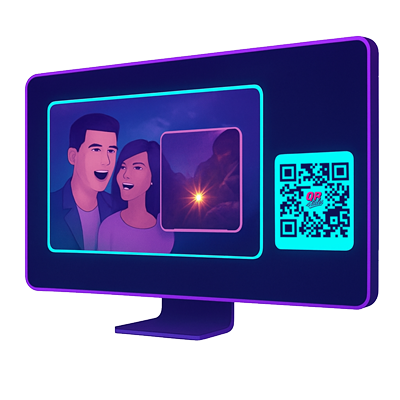
Bring your event to life
Turn guest photos into part of the event. With Pro, your slideshow stays in sync across screens and you decide which moments go live.
Explore ProPricing
Try it for free or choose the space and features your event needs. A one-time purchase, with clear limits.
Try it out before your event.
All the photos from a smaller party.
More memories, including video.
The full experience, live on screen.
All prices include VAT.
Need more room? You can upgrade during your event. Custom album styling is available from Basic onwards.
One account expiry for all albums. Renewal extends storage and reopens uploads. After expiry there is a 30-day grace period before permanent deletion.
FAQ
Everything you need to know before sharing your QR code.
Ready? Start your eventNo. Guests scan your QR code and open the upload page in their browser. They can choose photos directly from their phone.
Yes, with Plus and Pro. Free and Basic are for photos. With Pro, videos can also play in the live slideshow.
Yes. You can protect your album with a password and manage the visibility of uploads. With Pro, moderation lets you approve uploads before publication.
Choose Pro and open your slideshow link in the browser on a TV, laptop or tablet. You can also connect a laptop to a projector. Manage the slideshow from your dashboard.
This depends on your package. The current upload windows and storage periods are listed above. Download your photos and videos before the storage period ends.
Yes. From your media library, select the photos and videos you want to keep and download them together as a ZIP file.
Yes. You can upgrade from your account during an active event if you need more uploads, video or a live slideshow.
One account expiry for all albums. Renewal extends storage and reopens uploads. After expiry there is a 30-day grace period before permanent deletion.
Make room for every memory
Create an album. Share the QR code. Let the memories come in.